...
Device Compliance Status – Shown in the Compliance column (Compliance status indicator) for each device in the Devices list.
The device compliance status indicator is color-coded for fast identification:
Green: device is fully compliant
Red: device is non-compliant
Yellow: source dataset is missing or invalid
Grey: device is unmanaged or hasn’t been validated yet

Device Preset Result – Shown for each device × preset combination in the Compliance Results screen (the compliance grid), or after opening a preset and selecting Show preset results.
...
Device Condition Result – After opening a preset, choose Show preset results, select a device, click Show details, and use Expand all to display all condition results.
Alternatively, open a preset and use Show condition results for a specific condition.
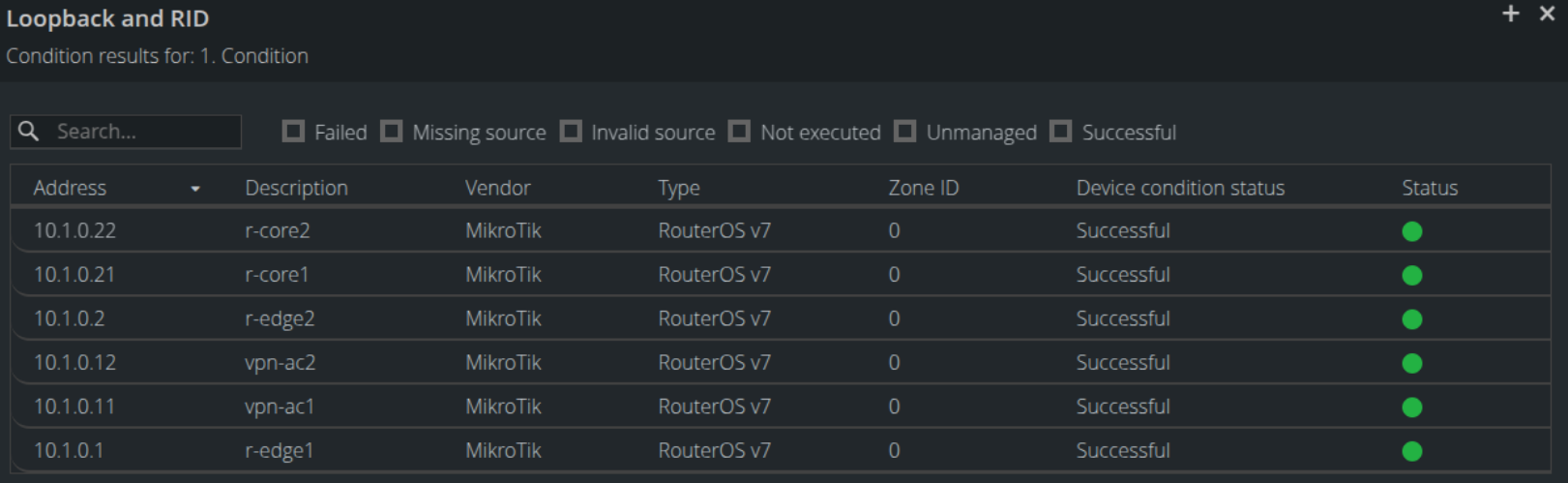
The device compliance status indicator is color-coded for fast identification:
Green: device is fully compliant
Red: device is non-compliant
Yellow: source dataset is missing or invalid
Grey: device is unmanaged or hasn’t been validated yet