...
Text Matching (“text contains” or “text does not contain”)
Regular Expressions for advanced matching
Line Anchors (e.g. “line starts with”, “line ends with”, etc.)
Multiple Conditions per Rule, evaluated using a single logical operator (AND/OR) selected by the user (either all conditions device condition results must match for a device within a rule, or any of them)
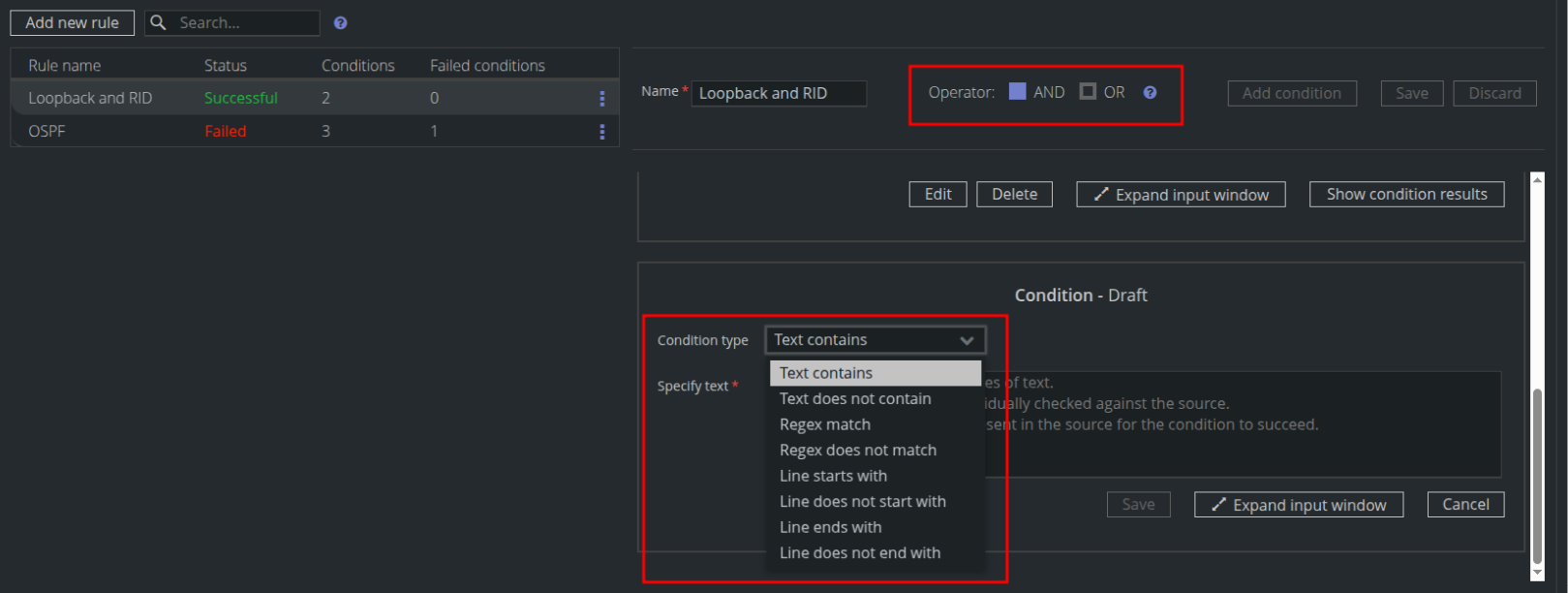
A rule can be named for quick identification or context, and it can be disabled to be ignored during the execution of the Compliance preset.
Condition evaluation logic
Each line within a Condition is evaluated individually. This allows you to paste multiple commands into a single Condition, with each line evaluated individually against the target device sources. The most basic use case is validating a device’s configuration against a "Golden Config"—you can paste the entire Golden Config into one Condition, and Unimus will check each line against the device.
The selected operator (AND/OR) determines how multiple Conditions are evaluated. For example, if multiple versions of a Golden Config are acceptable, you can create separate Conditions for each version, set the Operator to OR, and paste each configuration into its own Condition. Unimus will then validate devices against all acceptable configurations.
Compliance preset execution
...
Device Condition Result – After opening a preset, choose Show preset results, select a device, click Show details, and use and Expand all to display all condition results.
Alternatively, open a preset and use Show condition results for a specific condition.
...